By Bilal Akram, CFA | Lead AI & Tech Economy Analyst | Last Updated: Feb 17, 2026
Introduction: Why You Need This Google Gemini Beginner Guide
If you’re looking for a Google Gemini Beginner Guide, you’re probably here for the same reason I was: you’re drowning in browser tabs.
As an SEO content strategist, I juggled ChatGPT, Perplexity, Google Docs, Gmail, and three different research tools just to optimize a single blog post. My workflow looked like productivity failure tabs everywhere, context switching every 30 seconds, and wasting hours that should’ve been spent on actual writing.
Then I realized: everything I needed was already in my Google ecosystem.
Six months later, my content research time dropped by 40%. My blog posts rank better because I research faster. And I started mentoring university students (BBA and Law programs) using Gemini, helping them ace exams in hours instead of weeks.
This isn’t a sales pitch for Google. This is what actually happened.
By the end of this guide, you’ll know exactly how to set up Gemini, use it for your specific situation (whether you’re a content creator, student, or professional), and integrate it into your workflow without creating new friction.
What Is Google Gemini? (Not What You Think It Is)
Gemini is not just another chatbot.
It’s Google’s multimodal AI foundation layer that lives inside the tools you already use Gmail, Google Docs, Google Sheets, Google Search, and your phone. Think of it as the smart assistant embedded in your existing apps rather than yet another website to log into.
The key difference: You don’t need to leave Gmail to use AI for email. You don’t need to open a new tab for research. The AI works inside your workspace.
What Happened to Google Bard?
If you used Google Bard in 2023, forget it. Bard was built on older technology (LaMDA) with serious limitations.
Gemini is what happens when Google rewrites everything from scratch:
| Feature | Bard (Old) | Gemini 2025 |
| Can process images/video/audio together? | Limited | Full multimodal |
| Connected to real-time web search? | No | Yes (current info) |
| Works inside Gmail, Docs, Sheets? | No | Native integration |
| Context window (how much info it remembers) | 32,000 tokens | 1,000,000 tokens (Pro) |
| Speed | Slow | Fast and responsive |
| Can analyze PDFs and large documents? | Limited | Excellent |
Gemini doesn’t replace Bard. It replaces five other tools.
Multimodal: What This Actually Means
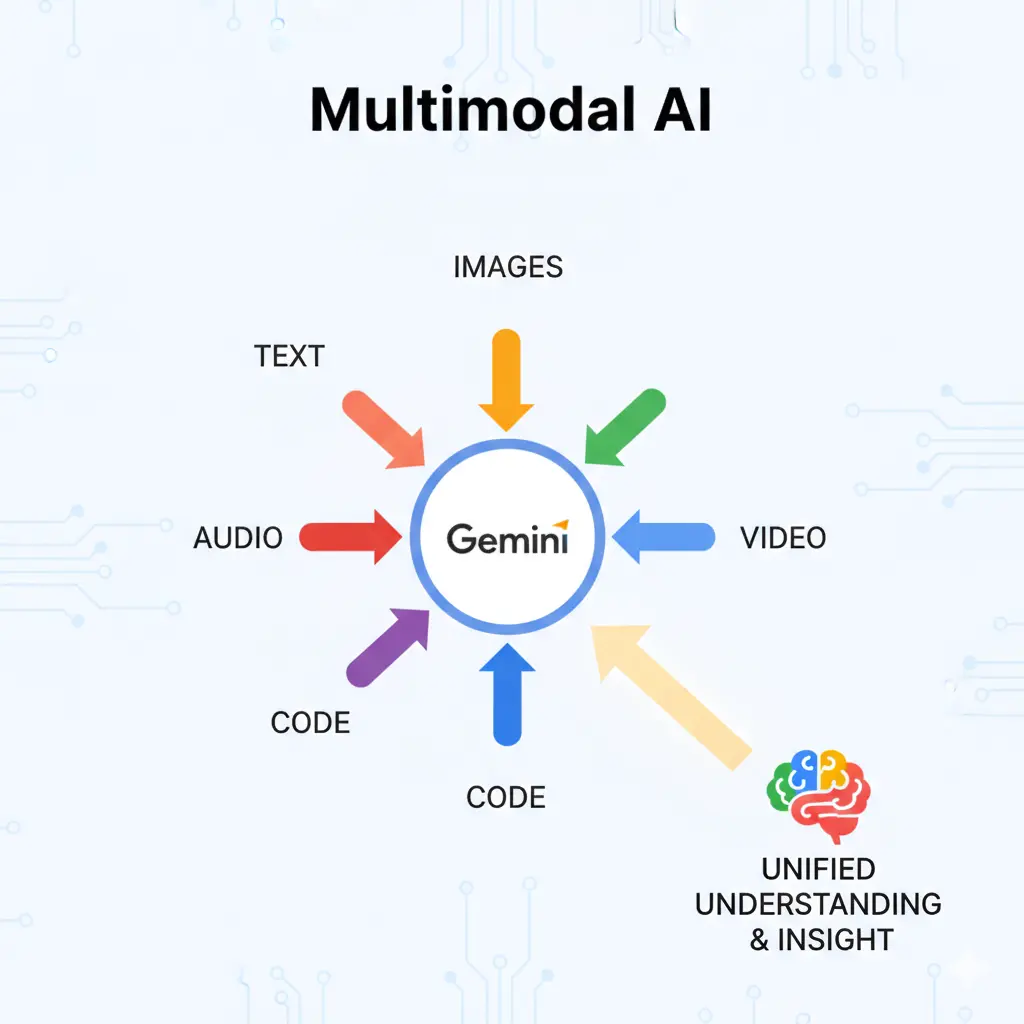
Multimodal sounds technical. It’s not.
Old AI could only read text. If you uploaded a photo of your messy kitchen and asked what should I cook?, the AI was blind. Couldn’t see the photo.
Gemini sees everything: text, images, charts, videos, code, and voice. Upload a photo of your competitor’s landing page and ask what’s driving conversions here? Gemini analyzes it instantly. Take a screenshot of a confusing Excel spreadsheet and ask explain this. Done.
This matters because 80% of information exists as images, charts, and documents not text. Multimodal AI handles your real work.
Getting Started: Free vs. Paid (And Which One You Actually Need)
Gemini Free (Powered by Gemini 2.5 Flash)
Price: Free (Always)
Best for: Students, casual users, content creators testing the workflow
What you can do:
- Draft emails, documents, and social media posts
- Summarize articles, PDFs, and web pages
- Brainstorm ideas for projects, essays, or content
- Get instant answers with real-time web search
- Analyze images (photos, charts, screenshots, graphs)
- Help explain study topics (accounting, legal concepts, history, biology)
- Get feedback on your writing
- Generate ideas for presentations
Real example from my workflow: I use free Gemini to summarize competitor blog posts before writing my own. Takes 2 minutes instead of 20. That’s 18 minutes saved per post × 20 posts per month = 6 hours saved monthly, and the free tier does it perfectly.
Speed: Gemini 2.5 Flash is deliberately optimized for speed. You get responses in 2-5 seconds, not 30 seconds.
Limitations: You hit a daily cap around 50 messages, which is plenty for casual use. If you’re writing 1-2 pieces daily, you won’t hit it.
Gemini Advanced (Google One AI Premium)
Price: $20/month (includes full Google One membership)
Best for: Professionals, researchers, anyone managing massive documents
What you get:
- 1 million token context window (that’s an entire research paper, business report, or codebase in one conversation)
- Access to Gemini’s most advanced reasoning model
- Deeper integration with Google Workspace (Docs, Sheets, Slides, Gmail)
- Higher usage limits (200+ messages per day)
- Priority processing (responses are faster)
- File analysis on steroids (analyze 100+ page contracts, 500-row spreadsheets, etc.)
- Deep Research mode (Gemini spends 1-2 minutes doing thorough research before answering)
When it’s worth $20/month:
If you write 5+ blog posts weekly, the Advanced tier pays for itself in time saved. Here’s the math:
- Free tier = 45 minutes per blog post for research + outline
- Advanced tier = 25 minutes per blog post (with 1M token context + deep research)
- Time saved: 20 minutes per post
- 5 posts × 20 min = 100 minutes = 1.67 hours per week
- Monthly = 6.7 hours saved per month
- Your hourly rate = $30+? Then Advanced pays for itself immediately.
I pay for Advanced and use it daily.
How to Access Gemini: 3 Different Ways
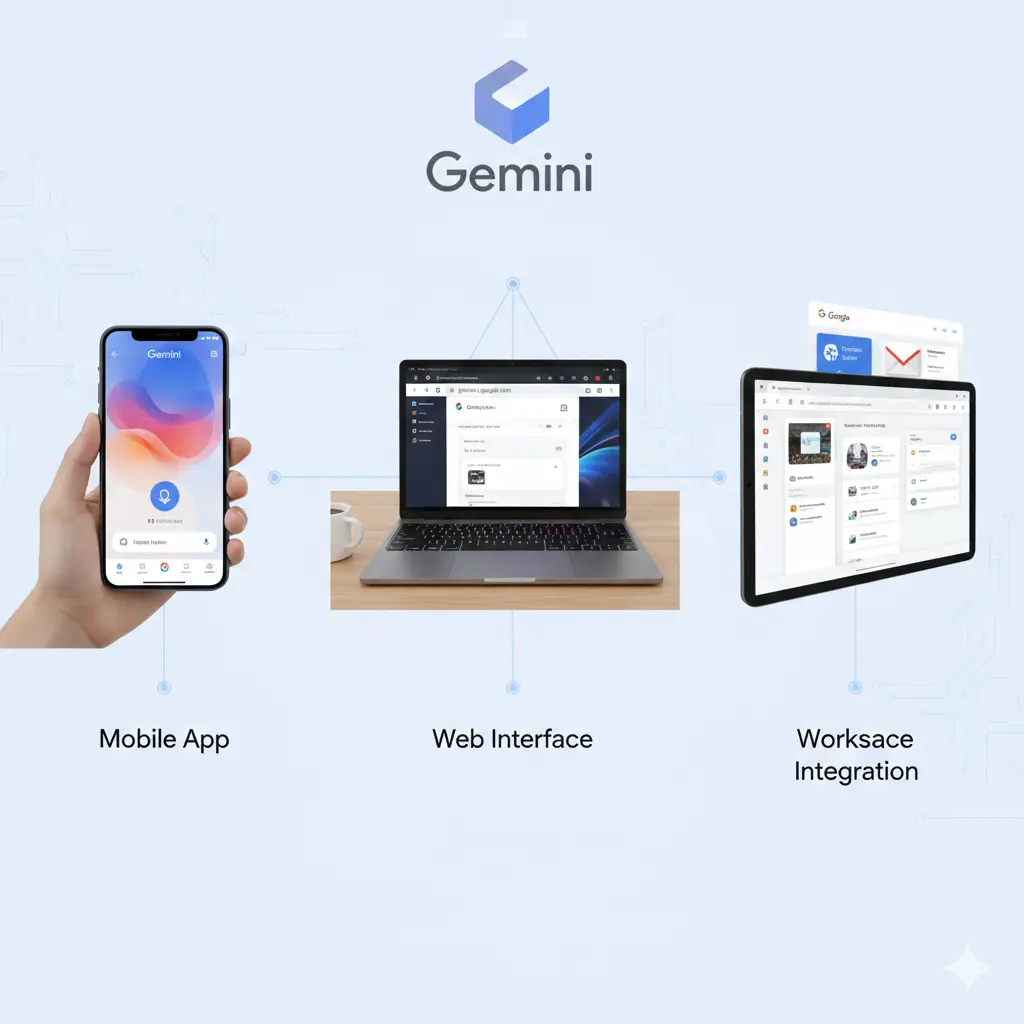
Method 1: Web Interface (Fastest to Try Today)
- Go to gemini.google.com in your browser
- Sign in with your Google account (the same one you use for Gmail)
- Start typing in the chat box
- Get instant responses
This works on any device. Phone, tablet, laptop, any browser. Your conversation history syncs across all devices.
Best for: Quick questions, testing the tool, research during the day
Method 2: Mobile App (AI in Your Pocket)
Download the Gemini app on iOS or Android (search Gemini in the App Store).
Unique mobile features:
- Screen Context: Take a screenshot of anything on your phone (a chart, a confusing message, a product listing) and ask Gemini to analyze it. Works instantly.
- Voice input: Speak your question instead of typing. Useful while commuting or working with your hands.
- Real-time location: Ask best quiet coffee shop near me for studying and Gemini uses Google Maps data to answer.
- Image search: Take a photo of anything (a product, a plant, a building) and Gemini identifies it and gives info.
Real example: One of my BBA students takes a photo of confusing accounting notes and asks explain this. Gemini breaks it down in 30 seconds. They understand it better than reading the textbook again.
Best for: On-the-go questions, studying while traveling, voice interaction
Method 3: Google Workspace Integration (Most Powerful)
If you subscribe to Gemini Advanced, the AI integrates directly into your Google apps:
In Gmail:
Right-click a long email thread → Summarize with Gemini
Result: 3-line summary of the entire conversation
In Google Docs:
Open any document → Click Gemini icon → Ask anything
Rewrite section 3 to be more persuasive for SEO
Check this for grammatical errors
Summarize this 5-page document
In Google Sheets:
Highlight data → Click Gemini → Ask questions
What’s the top performer in this data?
Create a chart showing revenue by region
Find any data errors or anomalies
In Google Slides:
Click Gemini Generate speaker notes for each slide
Gemini writes professional speaker notes for your entire presentation
This is where Gemini becomes a productivity multiplier. You stay in the tools you already use. No context switching. No new logins.
Best for: Professional work, content creation, workflow automation
What Gemini Can Actually Do (Real Capabilities, No Fluff)
1. Multimodal Input: Text, Images, Video, Audio, Code
Upload and analyze:
- PDFs and documents (entire research papers, contracts, business reports)
- Screenshots (analyze charts, graphs, your competitor’s landing page, confusing spreadsheets)
- Code (Python, JavaScript, SQL, HTML Gemini reads and debugs it)
- Audio files (transcribe and summarize)
- Images (describe, analyze, extract text, identify objects)
- Spreadsheets (analyze data, find patterns, spot errors)
Real example: I screenshot my Google Analytics dashboard and ask Why is traffic down? Gemini analyzes the visual data and points me to the issue immediately.
2. Real-Time Web Search (Built In)
Gemini isn’t locked in the past. Every response can include current information:
- Latest news and events
- Current product prices and availability
- Recent research and academic papers
- Today’s weather and stock prices
- New app updates and features
- Real-time social media trends
No need to open Google.com separately. Gemini searches the web automatically when you ask about current events.
Example: Ask What are the latest AI developments this week? and you get current information, not 2024 knowledge.
3. Workspace Integration (The Real Productivity Win)
The magic happens when you use Gemini inside your existing tools:
Gmail: Summarize email threads, draft responses, extract action items Docs: Rewrite sections, improve tone, check grammar, outline essays Sheets: Analyze data, create visualizations, spot trends Slides: Generate speaker notes, create outlines, improve presentations
You never leave the app. The AI works where you already work.
4. Reasoning and Complex Analysis
Gemini can handle:
- Analyzing 100+ page business reports and summarizing key insights
- Comparing multiple research papers and identifying contradictions
- Writing and debugging code that actually works
- Solving complex math with step-by-step explanations
- Legal document analysis (contract review, identifying risks)
- Strategic business planning and brainstorming
My Real-World Workflow: How I Actually Use Gemini Every Day
Workflow 1: SEO Content Research & Optimization (Saves 2+ Hours Per Post)
Before Gemini: 2-3 hours per blog post for research, competitor analysis, outline, and drafting After Gemini: 45 minutes for the same result
Here’s my exact process:
Step 1: Research Phase (10 minutes) I tell Gemini: I’m writing a blog post about ‘Gemini for beginners.’ Based on search intent analysis, what are the top 3 subtopics beginners actually care about?
Gemini gives me: Setup, Free vs. Paid, Real-world use cases (Beats spending an hour on Ahrefs or SEMrush)
Step 2: Competitor Analysis (15 minutes) I ask: Here are links to 3 competitor articles about Gemini. [paste URLs] What topics are they covering? What are they missing?
Gemini analyzes each article and tells me the gaps I can fill.
Step 3: Content Outline (5 minutes) Create an H2/H3 outline for a 2,500-word blog post about Gemini. Target both ‘Gemini beginner guide’ and ‘Gemini for [use case].’ Make it actionable.
Gemini creates a structured outline with internal linking opportunities.
Step 4: First Draft Assistance (15 minutes) Here’s my rough draft of section 2. Make it more conversational, add 1-2 real examples, and naturally incorporate the keyword ‘Gemini free vs. paid.
Gemini rewrites it better than I would’ve done alone.
Step 5: Final Polish (5 minutes) Add internal links to my [mention 2-3 of my other articles]. Fix any sentences that sound awkward. Make the meta description punchier.
Done.
Result: A well-researched, well-structured, well-optimized blog post in 45 minutes instead of 3 hours. Multiply that across 20 posts per month and I’ve saved 45 hours monthly. That’s an extra work week I get back.
Workflow 2: Student Exam Preparation (Real Results)
BBA Student Example: Student: I have an accounting exam next week. I don’t understand break-even analysis.
Me: Ask Gemini this: ‘Explain break-even analysis in simple terms. Give 3 real company examples. Then create 5 potential exam questions with answers.
Result: Instead of reading a 30-page textbook chapter, they get a focused, personalized study guide in 90 seconds. They study smarter, understand better, and ace the exam.
Law Student Example: Student: We’re studying contract law next. The concept of ‘Consideration’ is confusing.
Me: Paste your textbook definition into Gemini and ask: ‘Break this down into 5 key principles. Give a real case example for each one. End with 5 potential exam questions.
Result: The student gets a structured study guide with case examples. They understand not just the definition, but how it applies to real legal situations. Exam score jumps 15-20%.
Why this works:
- Personalized to their learning style
- Includes real examples (not abstract theory)
- Formatted as exam prep (not textbook reading)
- Instant (no waiting for a tutor)
Your First Prompts: How to Get Good Results (The Formula)
The biggest mistake beginners make: asking vague questions and getting vague answers.
Bad prompt: Write a summary Result: 2-line generic summary that doesn’t help
Good prompt: Write a 150-word summary of quantum entanglement for a high school physics student. Use analogies and avoid technical jargon. Include 1-2 real-world applications. Result: Personalized, useful summary tailored to the audience
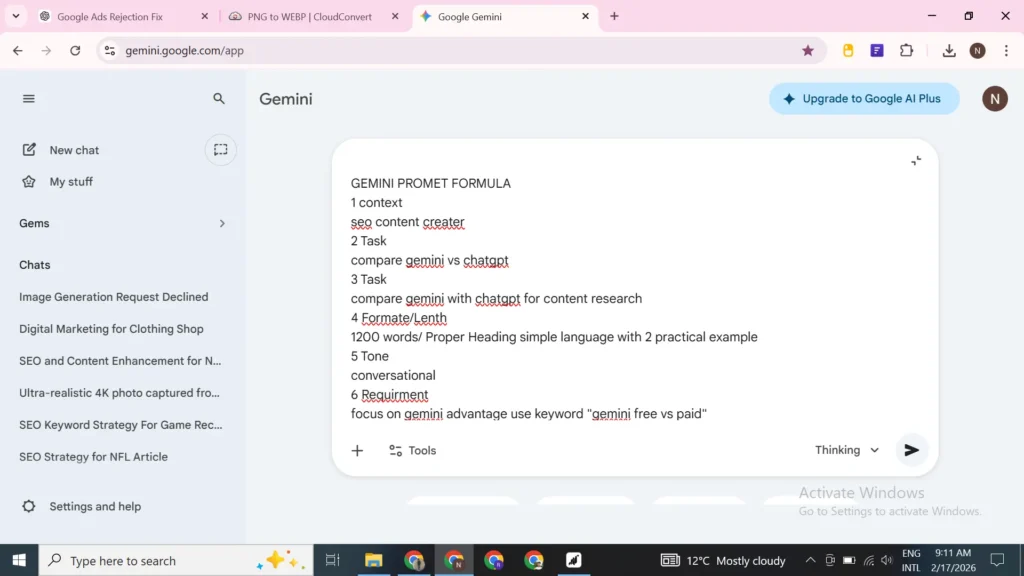
The Prompt Template You Can Copy-Paste
Context: [What’s this for? Who’s the audience?]
Task: [What exactly do you want?]
Length/Format: [How long? Bullet points? Structured?]
Tone: [Professional? Casual? Energetic?]
Requirements: [Use this keyword? Include examples? Cite sources?]
Real Examples That Work
Example 1 SEO Content Creator:
I’m writing a blog post about ‘best AI tools for content creators.’ This is for beginners who don’t know technical stuff. Write a 300-word section comparing Gemini vs ChatGPT for content research. Use simple language. Include 2 practical examples a blogger would relate to. Focus on Gemini’s advantages (for internal linking to my other articles).
Result: I copy-paste this into my article. The section is done in 2 minutes.
Example 2 BBA Student (Finance):
My BBA exam covers financial ratios next week. I don’t understand the difference between ROE and ROA. Explain both in simple terms with math formulas. Give a real company example for each (use Apple or Tesla). Then create 3 multiple-choice questions I might see on the exam with answer explanations.
Result: Personalized study material in 60 seconds. Student learns and remembers better.
Example 3 Law Student (Contracts):
I’m studying contract law. Break down ‘Offer and Acceptance’ into 5 main legal principles. For each principle, give a real case example. Then list 5 exam questions that might appear with sample answers.
Result: Focused study guide that covers all angles. Student is prepared for essay and multiple-choice questions.
Example 4 Email Summarization (Professional):
Summarize this email thread for me in 3 bullet points. Pull out any action items and dates. Flag anything urgent.
[Paste 10-email conversation]
Result: 30-second understanding of a long conversation. No need to re-read everything.
Advanced Features Worth Knowing
Deep Research Mode (Advanced Only)
Available in Gemini Advanced. Ask a complex question, and Gemini spends 1-2 minutes researching before answering.
Use case: Do deep research on whether Gemini or Claude is better for SEO content generation in 2025. Compare pricing, speed, output quality, and unique features.
Gemini researches both tools, compares multiple sources, and gives you a thorough comparison. Saves hours of manual research.
File Analysis in Documents/Sheets
Upload a PDF contract: What are the key terms? Flag any unusual clauses. What risks does this have?
Gemini analyzes a 50-page legal document in seconds.
Upload a spreadsheet: Show me the top 10 products by revenue. Calculate profit margin for each. Create visualizations.
Gemini analyzes your data and creates summaries.
Custom Instructions
You can set instructions that apply to every conversation:
Always assume I’m writing for beginners. Avoid jargon. Use analogies to explain complex ideas.
Then every response respects those instructions without you having to repeat them.
Common Beginner Mistakes (And How to Avoid Them)
Mistake 1: Asking Too Vaguely
What’s Gemini? Explain what Gemini is to someone who’s never used an AI tool before. Compare it to Claude. Include 2 real-world examples.
Specificity = better results. Every time.
Mistake 2: Trusting Everything Gemini Says
Gemini sometimes makes stuff up (called “hallucinations”). Always:
- Verify facts with Google Search
- Check citations it provides
- Test code before using it
- Treat it as a research assistant, not a final authority
Mistake 3: Not Using Image/File Upload
Many beginners only type. But Gemini excels at:
- Analyzing screenshots and charts
- Reading PDFs and documents
- Reviewing code
- Analyzing images
Use these features. They’re game-changers.
Mistake 4: Using Vague Filenames
If you upload document.pdf, Gemini doesn’t know what it is. Better:
- 2024-Q4-Financial-Report.pdf
- CompetitorAnalysis-BloggingPlatforms.pdf
- ContractLaw-ConsiderationPrinciple.pdf
Descriptive filenames help Gemini understand context.
Mistake 5: Not Updating Your Workflow
If Gemini helps you draft emails, but you’re still copying/pasting them elsewhere, you’re not saving time. Better: Draft in Gmail directly using Gemini.
Find where Gemini fits naturally into your existing process.
Is Gemini Worth It? (Honest Assessment)
For Students (Beginner to Advanced)
Free is plenty.
You get web search, image analysis, unlimited exam prep help, and 50 daily messages. Unless you’re analyzing massive datasets or uploading 100-page research papers daily, free is sufficient.
My recommendation: Start free. Use it for 2-3 weeks. If you find yourself wanting more, try Advanced for one month ($20).
Expected value: 5-10 hours saved per week = significant study time savings
For Content Creators & SEO Professionals
Advanced is worth it.
The 1 million token context window means you can paste:
- 5 competitor blog posts at once
- 100-page industry reports
- Entire codebases for review
- Multiple client documents for comparison
Plus, Workspace integration (write in Docs, Gemini improves it in real-time) saves 5+ hours weekly.
Expected value: 10-15 hours saved per week = $200-300 monthly in reclaimed time
At $20/month, Advanced pays for itself in the first post you write faster.
For Business Professionals & Managers
Advanced + Deep Research is valuable.
Use Deep Research for:
- Market analysis reports
- Competitive intelligence
- Contract review
- Strategic planning
- Data analysis
Expected value: 10-20 hours saved per week = saves $500-1000+ monthly in your time
Important Features & Limitations to Know
What Gemini Excels At
- Research and summarization
- Writing and editing
- Code review and debugging
- Data analysis
- Study assistance
- Email and document generation
- Brainstorming
- Explaining complex topics
What Gemini Struggles With
- Perfect math (especially with large numbers)
- Creating completely original images (good for analysis, weak for generation)
- Real-time information older than a few hours
- Very niche or new information (limited training data)
- Understanding very subtle context or jokes
Privacy & Security
- Your conversations are stored (unless you use Incognito mode)
- Google uses your data to improve the model
- Business users should review Google’s Data Processing Agreement
- Never paste sensitive passwords, credit cards, or SSNs
Step-by-Step: Getting Started in 15 Minutes
Right Now (5 minutes)
- Go to gemini.google.com
- Sign in with your Google account
- Read the welcome message
- Click Create new chat
Your First Prompt (2 minutes)
Type: What are the top 3 things I should know about using Gemini as a [student/content creator/professional]?
Just get a feel for how it responds. Notice how conversational it is.
Second Prompt (3 minutes)
Take a screenshot of something confusing (a chart, an error message, your Google Analytics).
- Click the image icon
- Upload your screenshot
- Ask: What’s happening here?
Experience the multimodal capability.
Third Prompt (5 minutes)
Ask about something you’re actually working on:
- Help me draft an email to [person] about [topic]
- Summarize [paste article/document]
- Explain [concept] to me simply
This is where you feel the value.
That’s it. 15 minutes and you’ve experienced the core features.
Next Steps: Your Action Plan
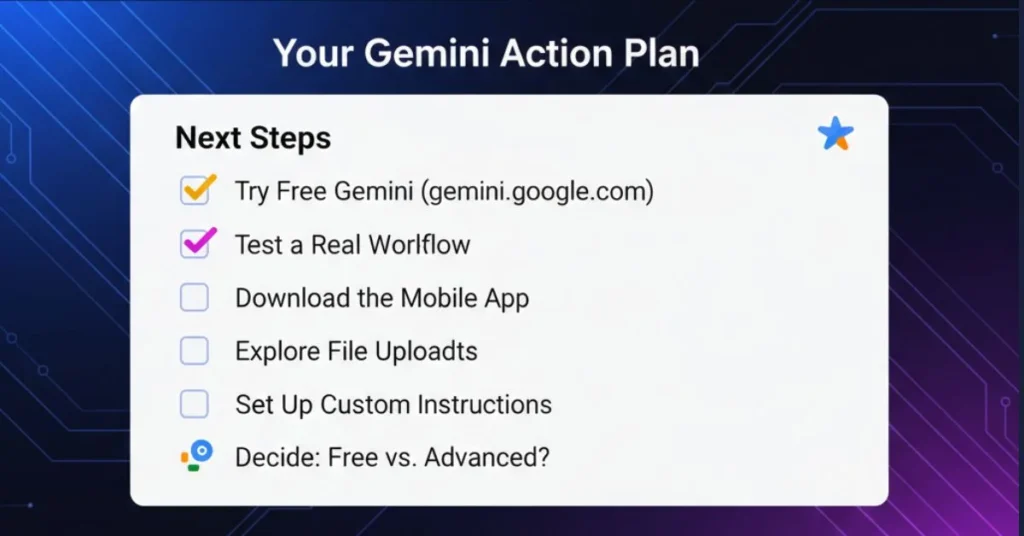
This Week
- Try free Gemini (gemini.google.com)
- Test one of your actual workflows (whatever you’re working on)
- Download the mobile app (try voice input)
- Explore file upload (paste a PDF or screenshot)
- Set up custom instructions (your preferences/style)
Next 2 Weeks
- Integrate into your daily workflow (emails, documents, research)
- Track time savings (notice how much faster you’re working)
- Decide: Free or Advanced? (if time savings > $20, go Advanced)
- Bookmark useful prompts (save prompts that work well)
Next Month
- Refine your process (optimize for your specific use case)
- Teach others (share what you’ve learned with colleagues/students)
- Update your workflow (Gemini releases new features regularly)
- Measure ROI (document time saved and quality improvements)
The Bottom Line
Gemini isn’t perfect. But it’s the most integrated AI tool for people who already live in Google’s ecosystem.
If you use Gmail, Docs, Sheets, Drive, and Search (which is most of us), Gemini saves time by being exactly where you already work.
No new login. No context switching. No learning a new interface.
That’s the real productivity gain.
Resources & Further Learning
- Official Google Gemini Help: https://support.google.com/gemini
- Google Workspace + Gemini Integration: https://workspace.google.com/products/gemini/
- Google’s AI Safety Guidelines: https://deepmind.google/technologies/gemini/
- Get Started Today: gemini.google.com
About the Author
I’m an SEO content strategist and AI workflow specialist. I use Gemini daily for:
- Researching and optimizing blog posts (saving 40% time per article)
- Helping university students (BBA and Law programs) ace their exams
- Analyzing business data and competitors
- Automating repetitive writing tasks
Everything in this guide is based on real usage and real results not theory. I’ve mentored dozens of students and content creators through Gemini implementation.
If something in this guide works for you, great. If it doesn’t fit your workflow, adapt it. Gemini should work for you, not the other way around.
Final Thoughts on the Google Gemini Beginner Guide
The best AI tool is the one you actually use.
Gemini doesn’t require leaving your current workflow. You don’t need to sign up for a new platform or pay a subscription if you don’t want to. It integrates into tools you already open every day.
That frictionless integration is why I recommend it to content creators and students more than other AI tools.
Start free. Try it for real work (not just testing). See if it saves you time. Make a decision from there.
What will you use Gemini for first?
FAQ
Q: Is Gemini completely free?
Yes. Gemini Free is always free. Gemini Advanced is $20/month, optional.
Q: Can I use Gemini on my phone?
Yes. Download the Gemini app on iOS or Android. You get all features including voice input and screen analysis.
Q: Does Gemini have access to my personal emails and documents?
Only if you enable Workspace integration and give explicit permission in settings. It’s completely opt-in.
Q: What’s the difference between Gemini 2.5 Flash and other versions?
Flash is optimized for speed and efficiency (good for quick tasks, free tier). Advanced includes Gemini’s most powerful model with deeper reasoning for complex analysis.
Q: Can I use Gemini for academic writing?
Yes, as a research assistant and writing coach. But cite it. Use it to brainstorm, research, and improve your drafts not as your writer. Check your institution’s AI policy.
Q: How is Gemini different from ChatGPT?
Gemini: Built into Google ecosystem, real-time web access, huge context window, native Workspace integration
ChatGPT: Standalone tool, knowledge cutoff (not real-time), strong at creative writing, requires plugins for integrations
Q: Will Gemini replace my job?
No. Gemini replaces repetitive tasks (research, drafting, summarization). It doesn’t replace judgment, creativity, or human expertise. You’ll be more productive, not obsolete.
Q: What’s the context window and why does it matter?
Context window = how much information Gemini remembers at once. Free = ~30k tokens (short document). Advanced = 1M tokens (entire research paper). Bigger window = better analysis of large documents.
Q: Can I export my conversations?
Yes. Each conversation can be exported as text or PDF.
Q: Is my data secure?
Google stores your conversations. Review their privacy policy. For sensitive work, review their Data Processing Agreement.
Q: In this Google Gemini Beginner Guide 2026 what is special?
It’s not like others just copy past material its my personlal experience which i share in this articel to help you to hand on with practical example so this Google Gemini Beginner Guide is for everyone
Q: Who is this Google Gemini Beginner Guide for?
It’s designed for students, SEOs, and professionals looking to save time. And for everyone who are struggle to get better result.

𝑻𝒉𝒆 𝑷𝒖𝒍𝒔𝒆 𝒐𝒇 𝑮𝒍𝒐𝒃𝒂𝒍 𝑨𝒇𝒇𝒂𝒊𝒓𝒔

3 thoughts on “Google gemini beginner Guide 2026: Complete Setup, Real Workflows & Use Cases”