
By Bilal Akram, CFA | Lead AI & Tech Economy Analyst| Last Updated: Jan 12, 2026
Welcome to the definitive Claude beginner guide for 2026. Whether you are a student, a developer, or a business leader, this guide will show you how to navigate the massive capabilities of Anthropic’s latest Claude 4.5 family.
As of January 12, 2026, Claude is more than just a chat window. With the recent rollout of Extended Thinking and Native Computer Use, Claude 4.5 can now write production ready code, analyze entire libraries of data with its 1 million token context window, and even perform autonomous tasks directly on your desktop. This guide will get you up to speed on the world’s most intelligent AI in under 3 minutes.
Academic Resource > If you want a structured academic perspective, we highly recommend this Step by Step Claude Beginner Guide (PDF) from Belmont University. It provides a great checklist to use alongside our 2026 advanced features.
In this claude beginner guide, we will break down the complex features into simple steps so you can start saving hours of work every day.
How to Create Your Account
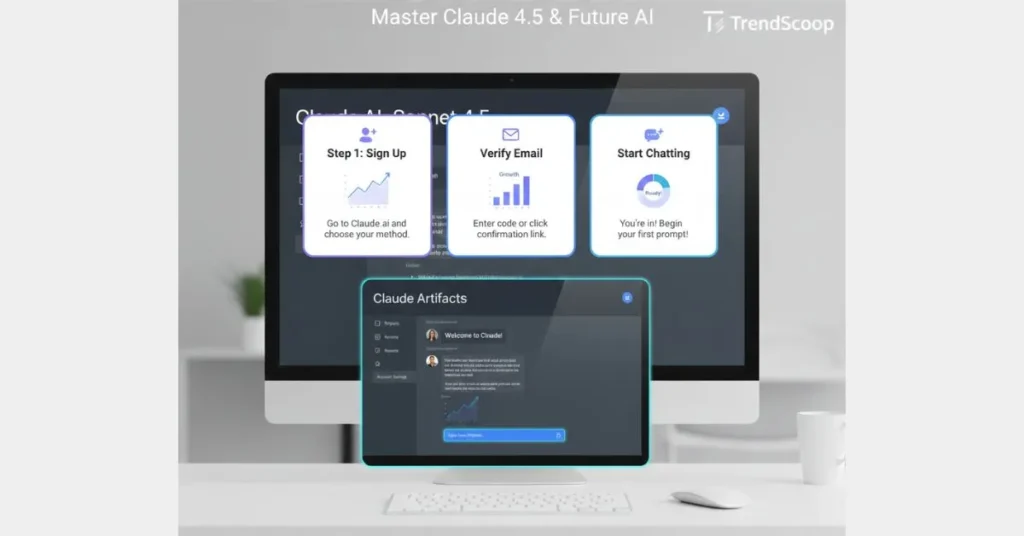
Setting up is the first step in any claude beginner guide. Go to Claude.ai and sign up. In 2026, you can use Google, Apple, or your professional email. Once in, you’ll see a sleek sidebar and the central Prompt Bar where the magic happens.
The Three Faces of Claude 4.5
Understanding the different models is vital for efficiency:
- Claude 4.5 Haiku: The fastest model. Best for quick edits, translations, and basic summaries.
- Claude 4.5 Sonnet: The most popular choice for Computer Use and complex agents.
- Claude 4.5 Opus: The flagship model for high level reasoning, professional coding, and deep research.
2026 Power Features: Artifacts and Projects
Using Claude Artifacts
Artifacts are a side by side workspace. When you ask Claude to create a website, a document, or a flowchart, it creates a live, interactive preview in the Artifact window. You can edit the code and watch the preview update instantly without losing your chat history.
Claude Projects for Organization
Think of Projects as smart folders. You can upload all your brand guidelines, project notes, or spreadsheets into a specific Project.Claude will then only use that context for your chats, preventing hallucinations and keeping your data strictly focused on the task at hand.
Advanced Capabilities: Computer Use and Data Analysis

The Computer Use Breakthrough
In late 2025, Claude 4.5 Sonnet became the leader in autonomous computer use. You can now give Claude permission to move your mouse and click buttons on a virtual desktop to fill out forms, scrape data, or manage your calendar directly.
In late 2025, Claude 4.5 Sonnet became the leader in autonomous computer use. This is a primary example of [The Disruptive Rise of Agentic AI: When Machines Stop Asking and Start Taking Over in 2025], where AI moves from talking to taking real world actions on your behalf.
Deep Data Visualization
Upload a CSV or Excel file, and Claude won’t just read the numbers it will write Python code in the background to generate high quality bar charts, line graphs, and heatmaps inside the chat interface using the Analysis Tool.
Prompting Secrets for Beginners
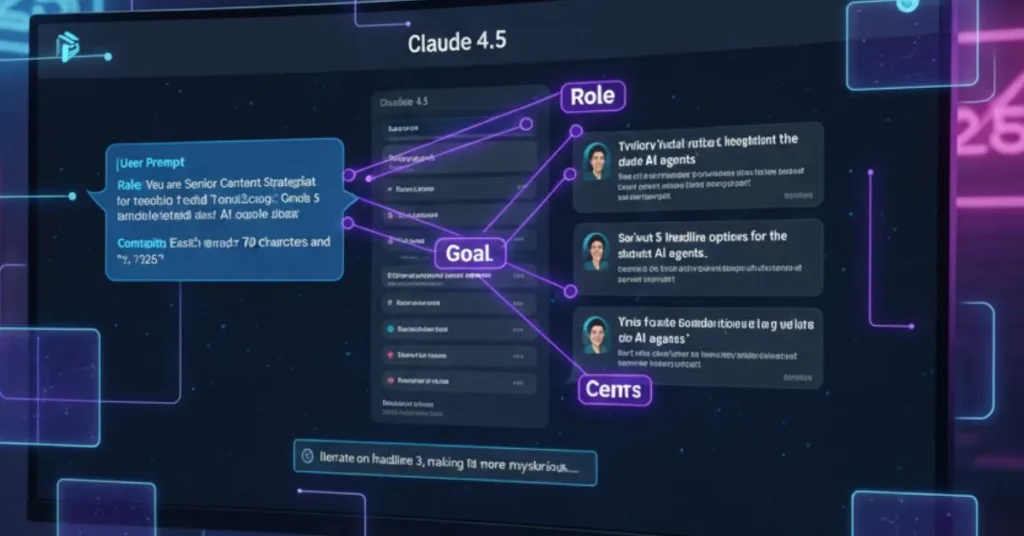
- Assign a Role: Start with Act as a [Job Title].
- Give Context: Instead of Write a tweet, say Write a tweet for a tech audience about the new Claude 4.5 release.
- Iterate: If the first answer isn’t perfect, tell Claude what to change. It remembers the whole conversation and can refine its work.
Claude Pricing was in late 2025
| Plan | Price | Best For |
| Free | $0 | Casual use of Claude 4.5 Sonnet. |
| Pro | $20/mo | 5x more usage and early access to Opus 4.5. |
| Team | $25/user | Businesses sharing Projects and Admin controls. |
| Max | $100/mo | Power users needing 20x more usage and priority access. |
As you master the nuance of Claude, it’s helpful to see where its specialized features fit in the broader market. View our full analysis of the [Best AI Chatbots of 2026] for the ultimate perspective.
Conclusion
We hope this claude beginner guide has given you the confidence to start using one of the most advanced AI tools on the planet. From simple summaries to autonomous agents, Claude is designed to be your most reliable digital partner in 2026.
While Claude is excellent for writing and safety, it isn’t the only giant in the room. If you are deciding between the top models, check out our deep dive on [Gemini 3 vs Claude 4.5: Which AI Dominates in 2025?] to see which one fits your workflow better.
FAQ
Is Claude 4.5 better than GPT 5.2?
It depends on the task. Claude 4.5 is generally considered better for coding, creative writing, and long context analysis. GPT 5.2 is often faster for simple web searches.
How much does Claude 4.5 Opus cost?
You can access Opus 4.5 via the Claude Pro subscription for $20/month, or the Max plan for $100/month if you need significantly higher usage limits.10
Can Claude AI use my computer?
Yes, through the Computer Use feature. This allows the AI to navigate a desktop environment to perform multi step tasks like data entry or web research.
Is my data safe with Claude?
Yes. Anthropic does not use data from Pro, Team, or Enterprise accounts to train its models. It is one of the safest AI tools for business use.
What is a Claude Artifact?
An Artifact is a side window that lets you view and interact with code, websites, or documents the AI creates for you in real time.12

𝑻𝒉𝒆 𝑷𝒖𝒍𝒔𝒆 𝒐𝒇 𝑮𝒍𝒐𝒃𝒂𝒍 𝑨𝒇𝒇𝒂𝒊𝒓𝒔
