By Bilal Akram, CFA | Lead AI & Tech Economy Analyst | Published: March 24, 2026
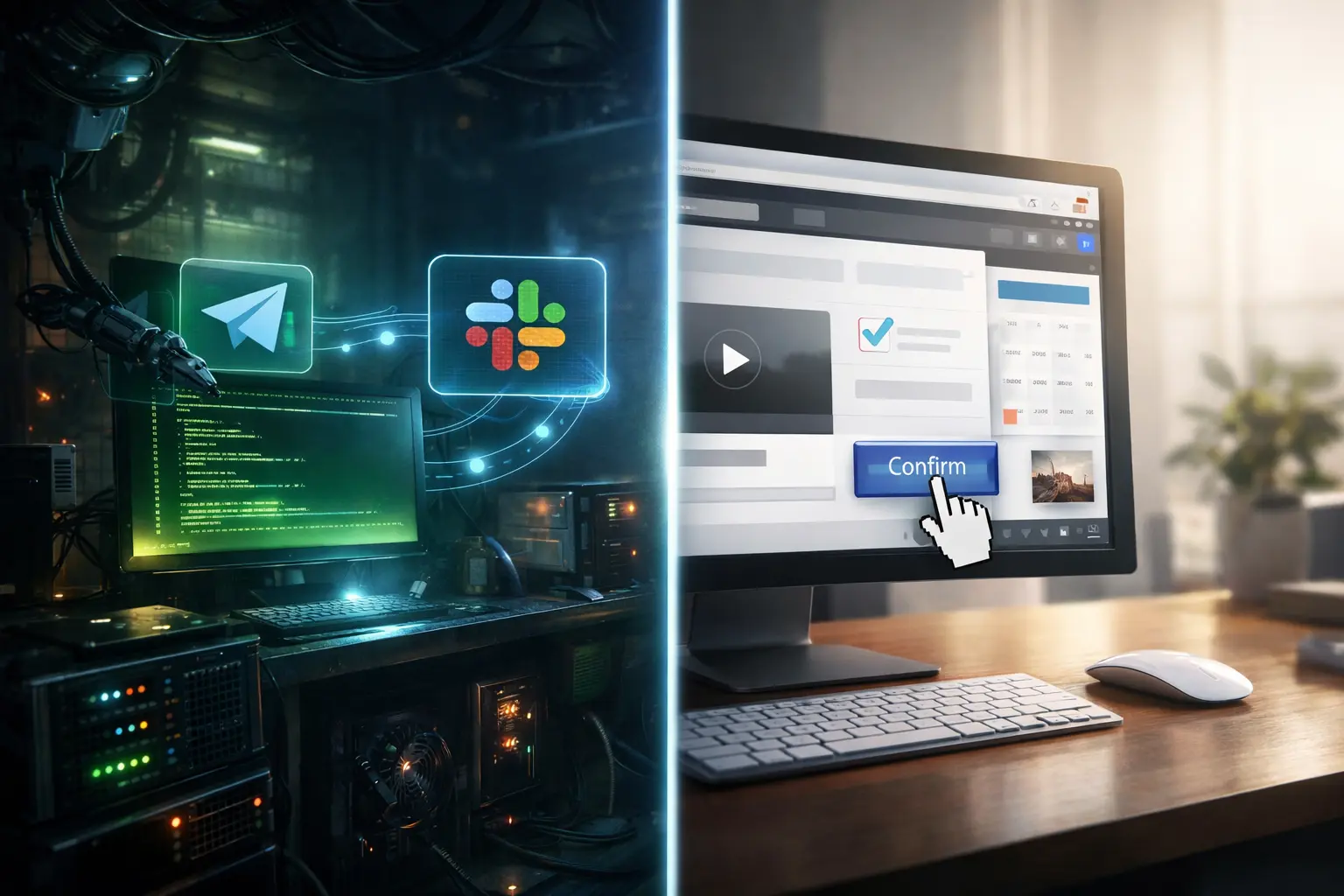
If you’ve spent any time on developer Discord servers, GitHub trending, or Hacker News in the last few months, you already know the two names everyone keeps dropping: Claude AI vs OpenClaw 2026. Both are making waves for the same reason they’re AI tools that don’t just answer questions, they do things. Open apps, click buttons, fill forms, write files, run commands.
But Claude AI and OpenClaw 2026 are built on completely different philosophies. And choosing the wrong one for your stack will cost you time, money, or both.
This is the no-fluff breakdown developers actually need covering real architecture, honest use cases, and the security risks neither tool’s marketing copy talks about enough.
What Is OpenClaw 2026? (And Why It Broke GitHub)
Let’s start with the tool that caused a minor viral meltdown.
OpenClaw 2026 is an open-source, self-hosted AI agent created by developer Peter Steinberger. Originally published in late 2025 under the name Clawdbot, then briefly renamed Moltbot after trademark pushback, it landed on the name OpenClaw 2026 three days later and the name stuck. So did the momentum.
OpenClaw 2026 crossed 60,000 GitHub stars in its first 72 hours after going viral in January 2026. By March 2, 2026, OpenClaw 2026 sits at 247,000 stars and 47,700 forks one of the fastest-growing open-source projects in recent memory.
The reason developers got excited about OpenClaw 2026 isn’t the star count. It’s what OpenClaw 2026 actually does.
OpenClaw 2026 Core Architecture
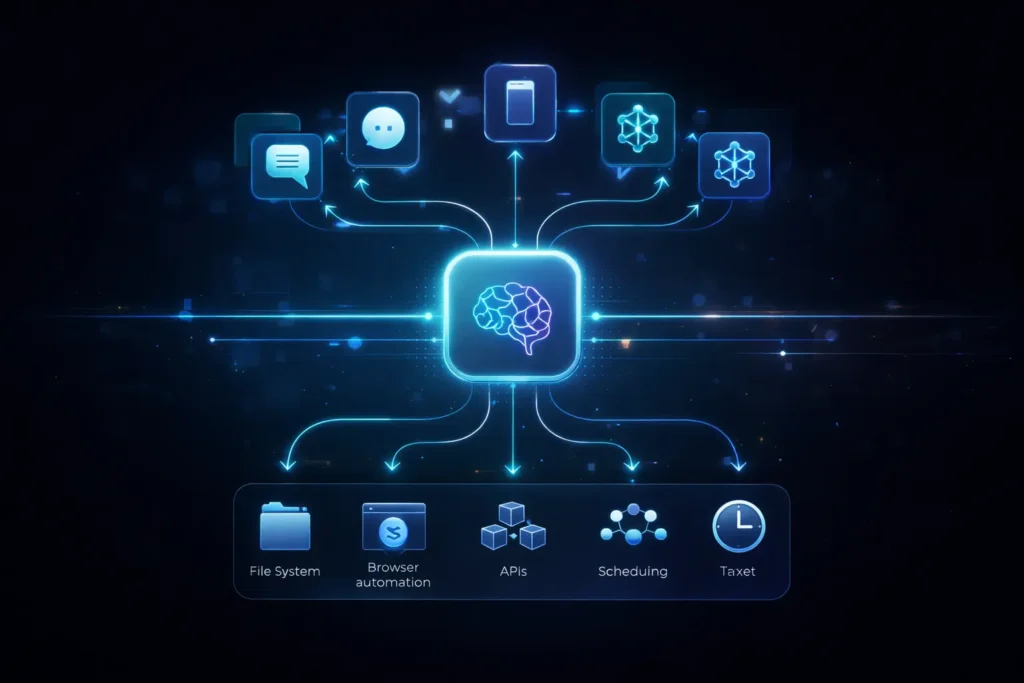
OpenClaw 2026 runs a local Gateway daemon on your own hardware. That Gateway is the control plane it listens for incoming messages from your messaging apps (WhatsApp, Telegram, Signal, Discord, iMessage, Slack, and around 15 others), routes them to an AI agent, and executes the results.
OpenClaw 2026 handles scheduling via cron, manages persistent session history as local Markdown files, and lets you connect whichever LLM you prefer Claude AI, GPT-4o, DeepSeek, or a local model via Ollama.
Install OpenClaw 2026 like this:
npm install -g openclaw@latest
openclaw onboard
The onboard command walks you through Gateway setup, workspace config, channel pairing, and skill installation. Runtime requirement for OpenClaw 2026 is Node 24 (recommended) or Node 22.16+. The daemon runs as a launchd/systemd user service so it survives restarts.
What OpenClaw 2026 gives you is an agent that is always on, always listening, and always running on your own hardware. You don’t open a new interface. You text it from your phone at a coffee shop, and it does the thing.
ClawHub: OpenClaw 2026’s Skill Ecosystem
This is the part that makes OpenClaw 2026 genuinely extensible rather than just impressive in a demo.
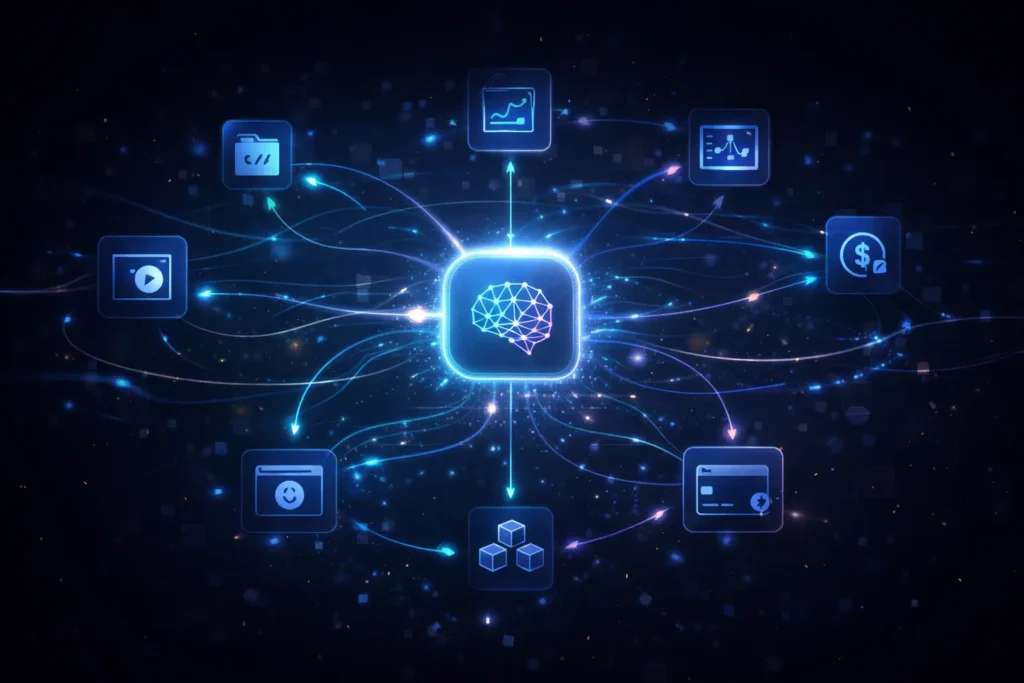
Skills in OpenClaw 2026 are Markdown files a SKILL.md with YAML frontmatter and natural-language instructions. They live in a directory structure and tell OpenClaw 2026 how to interact with a specific service. Installing a skill looks like:
claw install capability-evolver
# or
clawhub install dbalve/fast-io
As of February 28, 2026, the ClawHub registry for OpenClaw 2026 hosts 13,729 community-built skills. The awesome-openclaw-skills curated list has filtered and categorized 5,211 of them. Key developer skills for OpenClaw 2026 include:
- GitHub issues, PRs, CI runs, advanced API queries via gh CLI with JQ filtering
- azure-devops create PRs, manage work items, check build status
- auto-pr-merger automates checking out a GitHub branch and merging PRs
- Playwright full browser automation from within OpenClaw 2026
- biz-reporter automated reports pulling from GA4, Search Console, and Stripe
- agentgate personal data API gateway with human-in-the-loop write approval
- arc-trust-verifier verify skill provenance and build trust scores before installing
The top downloaded skill in the OpenClaw 2026 ecosystem, Capability Evolver (35,000+ downloads), lets OpenClaw 2026 autonomously extend its own capabilities at runtime the agent notices a gap, writes code to fill it, and evolves itself. Whether that’s exciting or alarming depends on your threat model.
What OpenClaw 2026 Is Built For
The core use case for OpenClaw 2026 is ambient, always-on AI infrastructure the layer that runs in the background while you work, sleep, and travel. OpenClaw 2026 handles routine tasks, monitors systems, and only pings you when human judgment is genuinely needed.
Developers have used OpenClaw 2026 to: run coding agents overnight, monitor GitHub for failed CI runs, negotiate over email while sleeping, build weekly Notion systems, and wire smart home devices to personal health goals. One developer built a full Laravel app on DigitalOcean while grabbing a coffee using OpenClaw 2026 to handle the entire provisioning and deployment workflow.
OpenClaw 2026 isn’t a tool you pick up and put down. It’s infrastructure you deploy and forget about until it does something useful.
How Claude AI Computer Use Actually Works
Claude AI Computer Use takes a fundamentally different approach and understanding its mechanics is what tells you when to reach for Claude AI instead of OpenClaw 2026.
Where OpenClaw 2026 works through messaging-app integrations, Claude AI Computer Use works by literally looking at your screen, the same way a remote human operator would.
The Claude AI Agent Loop
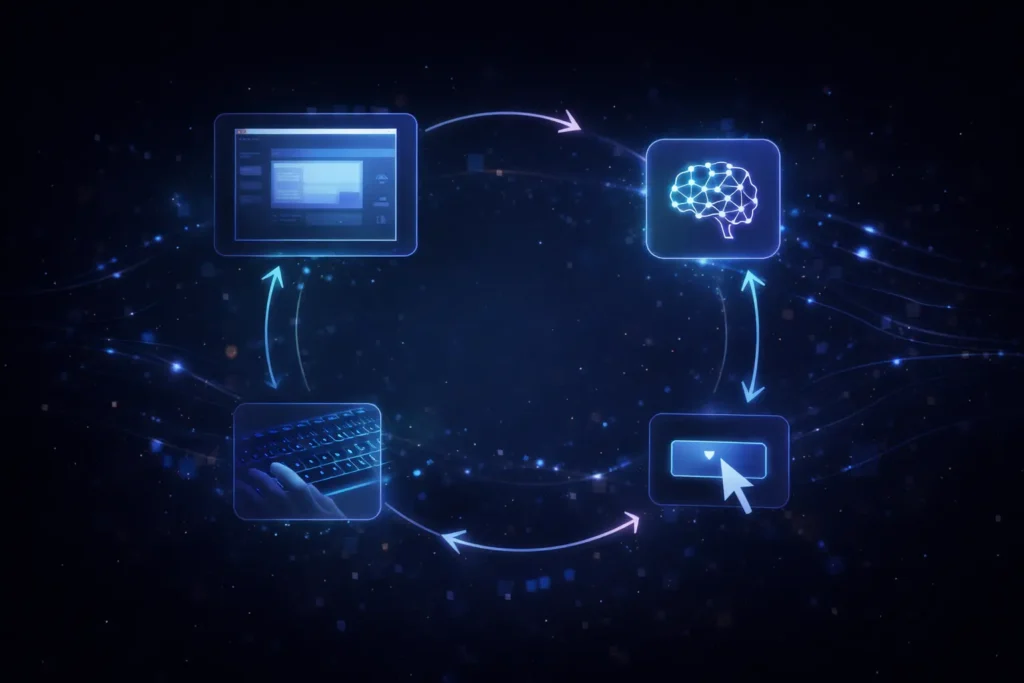
Here’s the cycle that powers Claude AI Computer Use:
- Your application captures a screenshot of the current desktop state
- The screenshot is sent to Claude AI via the API along with the task
- Claude AI analyzes the screenshot reads button labels, text fields, application state, error messages and reasons about the next step
- Claude AI returns a tool call: left_click at coordinate (x, y), type this text, key this shortcut, scroll, or screenshot for new state
- Your application executes the action, captures a new screenshot, and sends it back to Claude AI
- The loop continues until the task completes or you hit an iteration limit
Three tools power Claude AI Computer Use:
- computer mouse/keyboard control and screenshot capture
- str_replace_based_edit_tool surgical file editing
- bash shell command execution in the sandboxed environment
A minimal Claude AI Computer Use API call:
curl https://api.anthropic.com/v1/messages \
-H “content-type: application/json” \
-H “x-api-key: $ANTHROPIC_API_KEY” \
-H “anthropic-version: 2023-06-01” \
-H “anthropic-beta: computer-use-2025-11-24” \
-d ‘{
“model”: “claude-opus-4-6”,
“max_tokens”: 2000,
“tools”: [
{
“type”: “computer_20251124”,
“name”: “computer”,
“display_width_px”: 1024,
“display_height_px”: 768,
“display_number”: 1
},
{ “type”: “text_editor_20250728”, “name”: “str_replace_based_edit_tool” },
{ “type”: “bash_20250124”, “name”: “bash” }
],
“messages”: [{ “role”: “user”, “content”: “Open Firefox and navigate to example.com” }]
}’
One important detail: Claude AI cannot execute tool calls directly. Your application handles execution. Claude AI returns instructions; you run them. This is by design it keeps a human application layer in the loop on every action.
How Claude AI Handles Pixel Positioning
When Claude AI needs to click “the blue Submit button in the lower right,” it must translate that into exact pixel coordinates like (1245, 867). Traditional computer vision struggles with this across different screen sizes and DPI settings.
Anthropic trained Claude AI to count pixels from reference points screen edges and known UI elements to calculate target positions accurately. This is why Claude AI works reliably across different screen resolutions without hard-coded coordinate maps.
New in 2026: Claude AI’s Zoom Action
One persistent complaint about Claude AI Computer Use in beta was unreliability on small UI elements scrollbars, tiny checkboxes, close buttons. The 2026 version of the Claude AI API added a zoom action that lets Claude AI inspect a specific screen region at full resolution before deciding where to click:
{
“type”: “zoom”,
“region”: [x1, y1, x2, y2]
}
Enable it with “enable_zoom”: true in the Claude AI tool definition. It’s a small addition that meaningfully improves reliability on dense UIs.
Claude AI Cost Model
Screenshot tokens are your main expense with Claude AI Computer Use. A 50-step browser automation task costs roughly $0.50–$2.00 at 1024×768 resolution. You can reduce Claude AI token costs by resizing screenshots and converting to grayscale before sending. Claude AI’s Computer Use beta also adds 466–499 tokens to every system prompt call manageable, but worth tracking in long sessions.
What Claude AI Computer Use Is Designed For
If OpenClaw 2026 is ambient infrastructure, Claude AI Computer Use is an Expert Executor: API-first, task-specific, deeply capable on any software with a screen. Claude AI doesn’t maintain persistent memory between API calls. Claude AI doesn’t wake itself up on a cron schedule. What Claude AI does is take a specific task and execute it with visual reasoning applied at every single step.
The scope advantage of Claude AI is critical: any software with a visible interface. Legacy desktop apps with no API. Internal enterprise tools. Bespoke web applications with no scraping-friendly DOM. Anything a human could navigate with their eyes Claude AI can handle it.
Claude AI is also breaking into the consumer layer. Anthropic announced on March 24, 2026 that Claude AI can now directly control Mac computers for Claude AI Pro and Max subscribers opening apps, navigating browsers, filling spreadsheets paired with Dispatch, which lets you assign tasks to Claude AI from your phone. Currently Mac-only, with Windows and Linux pending.
Interface Comparison: Claude AI vs OpenClaw 2026
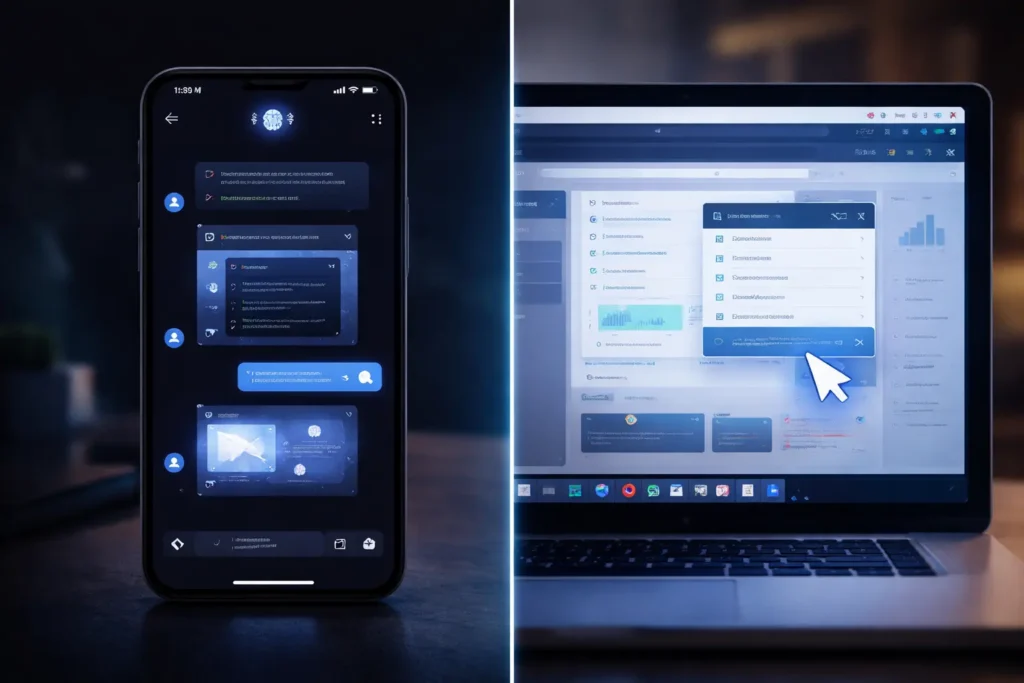
This is the most immediate practical difference between Claude AI and OpenClaw 2026.
OpenClaw 2026 lives in your messaging apps. You text OpenClaw 2026; it texts back and does the thing. There’s a macOS menubar companion for OpenClaw 2026, a voice wake mode, and a “Live Canvas” for agent-driven visual workspaces. Interacting with OpenClaw 2026 feels like texting an unusually capable junior developer running on a server in your house.
Claude AI Computer Use lives in your code. You construct API calls to Claude AI, execute the returned tool calls, and manage the agent loop yourself. The standard Claude AI setup spins up a Docker container with a virtual X11 display, a lightweight desktop (Mutter + Tint2), pre-installed Firefox and LibreOffice, and a VNC server on localhost:5900 so you can watch Claude AI work in real time.
The difference shapes everything downstream: who can set it up, how fast you iterate, what security posture you need, and how Claude AI or OpenClaw 2026 fits into existing systems.
The Core Logic Difference: OpenClaw 2026 vs Claude AI

Let’s be direct Claude AI and OpenClaw 2026 are not competing for the same workflow. They overlap in capability but diverge sharply in design philosophy.
OpenClaw 2026 is designed for continuous, proactive, ambient automation. OpenClaw 2026 runs on your hardware, wakes up on a schedule, and manages state across platforms and sessions over time. The messaging-app interface isn’t a limitation it’s a deliberate design choice that makes OpenClaw 2026 usable from anywhere without requiring you to be at your computer.
Claude AI Computer Use is designed for deep, task-specific, supervised execution. Claude AI is API-first because it’s meant to be embedded in developer-built pipelines. Claude AI’s screenshot-based approach means it works with literally any software no API required, no DOM structure required giving Claude AI a scope of action integration-based tools can’t match.
The analogy that actually fits: OpenClaw 2026 is the on-call engineer who monitors your systems around the clock. Claude AI is the specialist contractor you bring in for a specific, complex job that requires looking at the actual thing not an API representation of it.
Real Developer Use Cases: Claude AI vs OpenClaw 2026

DevOps: Automated QA and Legacy System Integration
Claude AI has a compelling story for UI testing against software with no testing-friendly API. Traditional Selenium/Playwright workflows break when a designer rearranges the page. Claude AI doesn’t hard-code coordinates it reads the current screenshot and reasons about what to interact with. UI changes don’t automatically break Claude AI’s workflow.
For bug reproduction pipelines where an engineer describes a bug in plain English and wants Claude AI to reproduce it, document the steps, and find the relevant source file Claude AI paired with bash and text editor tools is a genuinely powerful combination.
OpenClaw 2026 plays a complementary DevOps role through ambient monitoring. Configure OpenClaw 2026 with the GitHub and Slack skills, and OpenClaw 2026 will watch for failed CI runs, summarize the error, and post it to the right channel automatically. Set it up once; OpenClaw 2026 handles the rest.
GitHub Monitoring with OpenClaw 2026
Here’s a practical DevOps pattern with OpenClaw 2026 worth spelling out:
# Install the github skill for OpenClaw 2026
claw install github
# Then from Telegram, send:
# “Check the last 5 failed CI runs on main and summarize what’s breaking”
OpenClaw 2026 reads your GitHub, pulls the failed run logs, distills common failure patterns, and replies with a structured summary. No webhook infrastructure. No custom notification service. OpenClaw 2026 just pings you when something needs attention.
Web Scraping: Claude AI’s Advantage
For structured web scraping where your target has no public API, no stable CSS selectors, and uses JavaScript rendering Claude AI Computer Use is worth serious consideration.
import anthropic
import base64
from mss import mss
client = anthropic.Anthropic()
def run_scraping_task(target_url, extraction_goal):
with mss() as sct:
screenshot = sct.grab(sct.monitors[0])
screenshot_b64 = base64.b64encode(screenshot.rgb).decode()
response = client.messages.create(
model=”claude-opus-4-6″,
max_tokens=2000,
tools=[
{
“type”: “computer_20251124”,
“name”: “computer”,
“display_width_px”: 1024,
“display_height_px”: 768,
“display_number”: 1,
“enable_zoom”: True # Claude AI 2026 zoom feature
},
{“type”: “bash_20250124”, “name”: “bash”}
],
messages=[{
“role”: “user”,
“content”: f”Navigate to {target_url} and extract {extraction_goal}. Save to /tmp/output.json”
}]
)
return response
Keep your Claude AI sandbox tight: no host directories mounted, network scoped to your target domain only.
Finance and Legacy Data Entry: Claude AI’s Strongest Case
This is the use case that makes Claude AI genuinely irreplaceable for certain organizations. Finance and operations teams often work with legacy ERP and trading software with no external API software built before REST existed, too expensive to replace or re-integrate.
Claude AI can open these applications, read their interfaces via screenshot, and execute structured data entry with reasoning at each step. Because Claude AI understands what it sees rather than relying on hard-coded coordinates, it handles minor UI changes, error dialogs, and unusual screen states without failing. Compare that to traditional RPA tools that break every time the software vendor updates the interface. One layout change breaks the whole automation but not Claude AI.
Security in 2026: What Claude AI and OpenClaw 2026 Don’t Tell You
OpenClaw 2026: Local-First Doesn’t Mean Risk-Free
The local-first design of OpenClaw 2026 is a genuine advantage data stays on your hardware, history is Markdown on your disk, the code is MIT-licensed and auditable. But OpenClaw 2026’s local-first approach comes with a different class of risk: the agent has real, broad permissions to your actual systems.
DigitalOcean’s research found that OpenClaw 2026 is vulnerable to CVE-2026-25253, which compromises the AI gateway and lets attackers push commands. Cisco’s AI security team tested a third-party OpenClaw 2026 skill and found it performing data exfiltration and prompt injection without user awareness. Roughly 20% of skills on ClawHub for OpenClaw 2026 pose security risks. The OpenClaw 2026 maintainer “Shadow” warned on Discord: “If you can’t understand how to run a command line, this is far too dangerous of a project for you to use safely.”
Minimum viable security config for OpenClaw 2026:
// ~/.openclaw/openclaw.json
{
“allowFrom”: [“+1234567890”], // Lock to your own numbers
“sandbox”: true,
“skillAutoInstall”: false// Never auto-install in OpenClaw 2026
}
Beyond config: run openclaw doctor regularly for OpenClaw 2026 misconfigs. Only install ClawHub skills after auditing the source. Check VirusTotal on each skill’s ClawHub page before adding it to OpenClaw 2026. Consider running OpenClaw 2026 on a dedicated device, especially for sensitive workloads.
The awesome-openclaw-skills repo also includes azhua-skill-vetter specifically for security-first vetting before adding any skill to OpenClaw 2026.
Claude AI: Cloud Tradeoffs and Sandboxing
Claude AI Computer Use processes screenshots through Anthropic’s cloud, which means Anthropic’s infrastructure sees your screen state at every step. For workflows involving sensitive credentials, financial data, or proprietary IP, this warrants a conversation with your security team before deploying Claude AI.
Anthropic’s official recommendations for Claude AI deployments:
- Run all Claude AI workflows inside a dedicated Docker container with minimal privileges
- No host directories mounted in the Claude AI container
- No stored credentials inside the container pass them to Claude AI at runtime via <robot_credentials> XML tags
- Network access scoped to only what the Claude AI task requires
- Set a hard iteration limit to prevent runaway Claude AI API costs
- Add human confirmation checkpoints for any Claude AI action involving money, file deletion, or external communication
Anthropic’s classifiers scan for prompt injection attempts targeting Claude AI and request user confirmation when injection is detected. Claude AI uses a permission-first model it requests access before touching a new application, and you can stop Claude AI at any point.
The biggest production risk with Claude AI is indirect prompt injection malicious content embedded in a webpage that tries to hijack Claude AI’s instructions. Keep your Claude AI sandbox network-scoped and don’t let Claude AI log into anything critical without a human-in-the-loop checkpoint.
The Decision Matrix: Claude AI vs OpenClaw 2026
Stop looking for a universal winner between Claude AI and OpenClaw 2026. Pick based on your actual workflow:
Use OpenClaw 2026 when:
- You want always-on, ambient task automation on a schedule
- You need cross-platform integration across messaging, calendar, email, and dev tools
- Data sovereignty is a hard requirement (you can’t send screenshots to Claude AI’s cloud)
- You’re comfortable with CLI setup and auditing OpenClaw 2026 skills before installing
- Your use case is monitoring, notification, and routine execution not precision single-task automation
Use Claude AI when:
- You need to automate legacy desktop software or web apps with no stable API
- Your workflow requires visual reasoning at each step Claude AI’s core advantage
- You’re building API-first automation embedded in a larger system
- Your task is a specific, complex, batch workflow rather than continuous background automation
- You want HITL checkpoints architecturally enforced throughout the Claude AI process
Combine Claude AI and OpenClaw 2026 when: OpenClaw 2026 accepts Claude AI as its backing LLM. This means you can have OpenClaw 2026’s always-on messaging interface routing to Claude AI for reasoning, while separately calling Claude AI Computer Use directly for precision desktop tasks requiring the screenshot loop. For teams building comprehensive AI automation stacks, the Claude AI + OpenClaw 2026 combination is the architecture worth exploring.
Quick-Start Checklist
OpenClaw 2026 setup:
npm install -g openclaw@latest
openclaw onboard –install-daemon
openclaw doctor # Surface OpenClaw 2026 misconfigs immediately
claw install arc-trust-verifier # Add before installing anything else in OpenClaw 2026
Claude AI Computer Use setup (Docker):
git clone https://github.com/anthropics/anthropic-quickstarts
cd anthropic-quickstarts/computer-use-demo
docker build -t claude-computer-use .
docker run -it \
-e ANTHROPIC_API_KEY=$ANTHROPIC_API_KEY \
-p 5900:5900 \
–network=host \
–cap-drop=ALL \
claude-computer-use
Connect to localhost:5900 with a VNC viewer to watch Claude AI work in real time. Start with a low-stakes task at 1024×768 and build from there.
The Bottom Line: Claude AI vs OpenClaw 2026
Claude AI and OpenClaw 2026 represent two legitimate, well-built answers to the same question: how do we build AI that actually does things?
OpenClaw 2026 went viral because it cracked the ambient agent problem always-on, always-connected, extensible through a 13,000+ skill ecosystem, running entirely on your own hardware. OpenClaw 2026 is the closest thing to a real JARVIS that works in 2026. For developers who want to wire their entire workflow into a single agent interface, OpenClaw 2026 is genuinely transformative.
Claude AI Computer Use solves a different problem: how do you automate anything visible on a screen, regardless of whether it has an API? For legacy system integration, precision desktop automation, and complex task execution requiring visual reasoning at every step there’s nothing quite like Claude AI.
The honest take: most developers who think they need to choose between Claude AI and OpenClaw 2026 will end up using both. OpenClaw 2026 as the ambient layer. Claude AI for tasks that require looking at the actual thing. Claude AI and OpenClaw 2026 complement each other far more than they compete.
Gartner predicts 40% of enterprise applications will include task-specific AI agents by the end of 2026. Getting comfortable with both Claude AI and OpenClaw 2026 now puts you well ahead of that curve.
Sources: Wikipedia (OpenClaw, Claude), openclaw.ai, github.com/openclaw/openclaw, Anthropic API docs (docs.claude.com, platform.claude.com), DigitalOcean OpenClaw guides, KDnuggets, Brainroad, Fast.io, Apiyi.com, awesome-openclaw-skills on GitHub, SiliconAngle (March 23, 2026), CNBC (March 24, 2026). All technical details verified against primary sources.
FAQ
Can Claude AI use my computer like OpenClaw 2026?
Mostly yes, but differently. Claude AI’s Computer Use API gives it full mouse and keyboard control via screenshots arguably broader access than OpenClaw 2026’s integration-based approach, since Claude AI works with any software. But Claude AI requires you to build the agent loop infrastructure, doesn’t run autonomously in the background like OpenClaw 2026, and sends screenshots to Anthropic’s cloud rather than running locally the way OpenClaw 2026 does.
How do I set up Claude AI Computer Use for web scraping?
Use the Docker reference implementation for sandboxing Claude AI. Set enable_zoom: true in the Claude AI computer tool definition. Use the Claude AI bash tool to write extracted data to a local file inside the container. Keep Claude AI resolution at 1024×768 and convert screenshots to grayscale to control token costs. Scope your container’s network to the target domain only.
What are OpenClaw 2026’s main security risks?
The main OpenClaw 2026 risks are: prompt injection via malicious emails or webpages, malicious ClawHub skills (roughly 20% of the OpenClaw 2026 registry poses some risk), and CVE-2026-25253 enabling gateway compromise. Mitigations for OpenClaw 2026: use allowFrom to restrict command sources, set skillAutoInstall: false, run openclaw doctor regularly, and install arc-trust-verifier before anything else.
Which models support Claude AI Computer Use?
Claude AI Opus 4.6 and Claude AI Sonnet 4.6 support the computer-use-2025-11-24 beta header. Claude AI Sonnet 4.6 is the practical sweet spot for most production workloads capable enough for complex multi-step tasks, economical enough for frequent Claude AI use.

𝑻𝒉𝒆 𝑷𝒖𝒍𝒔𝒆 𝒐𝒇 𝑮𝒍𝒐𝒃𝒂𝒍 𝑨𝒇𝒇𝒂𝒊𝒓𝒔
