
By Bilal Akram, CFA | Lead AI & Tech Economy Analyst| Last Updated: January 14, 2026
Quick Summary
The Shift: AI has moved beyond simple chat. With the release of Gemini 3 Pro, Google Gemini now supports advanced, multi step workflows that feel closer to working with a digital assistant than chatting with a bot.
The Standout Feature: Gemini Live enables natural, interruptible voice conversations, allowing hands free planning, brainstorming, and problem solving while on the move.
The Productivity Gain: Gemini’s Deep Research style capabilities can analyze and summarize large sets of documents in minutes, significantly reducing time spent on research, admin, and planning.
Bottom Line: This guide focuses on practical, real world ways people are already using Google Gemini in daily life not theory, hype, or experimental demos.
Google Gemini is rapidly evolving from a search based assistant into an agentic AI that executes tasks end to end. With partnerships like Google and Walmart, Gemini’s daily use cases now focus on outcomes not searches.
From Generative AI to Agent Like Assistance
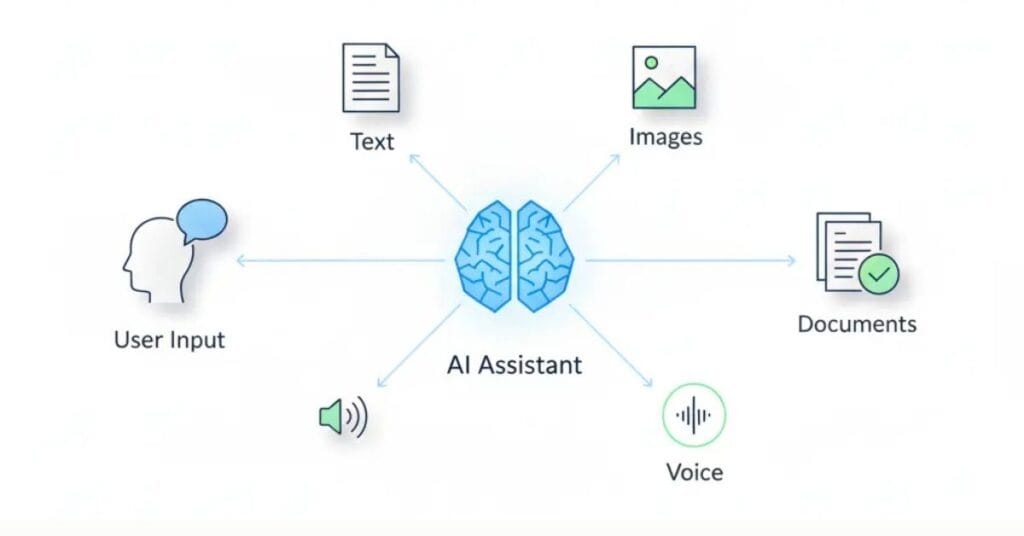
For years, AI tools promised to save time but often required constant supervision. With Gemini 3 Pro, Google has meaningfully improved how AI supports multi step reasoning, multimodal input (text, images, voice), and contextual understanding.
According to Google, Gemini is designed as a multimodal AI system capable of understanding and working across text, images, audio, and voice, helping users complete complex tasks more efficiently.
If you’re completely new to Gemini, start with our [Google Gemini Beginner Guide] to understand setup, core features, and basic prompts before exploring advanced use cases.
Gemini is not fully autonomous it does not act independently without user input. However, it now behaves more like an agent style assistant, capable of:
Google describes Gemini as a multimodal AI system designed to work across text, images, audio, and video, as outlined in its official Gemini documentation.
- Understanding complex instructions
- Maintaining context across tasks
- Assisting with planning, analysis, and execution inside Google’s ecosystem
This shift has made Gemini genuinely useful for students, professionals, and everyday users.
Streamlining Your Daily Routine with Multimodal AI
The real value of Google Gemini in daily life appears outside labs and demos in kitchens, cars, and home offices.
Feature availability may vary by region, device, account permissions, and Google Workspace plan.
Use Case 1: Meal Planning with Image Recognition
Instead of searching recipes manually, Gemini can analyze what you already have.
Take a photo of your refrigerator and ask:
What healthy, high protein dinner can I make in 30 minutes?
What Gemini does:
- Identifies visible ingredients
- Suggests practical recipes based on constraints
- Reduces food waste and decision fatigue
Use Case 2: Voice Based Travel Planning with Gemini Live
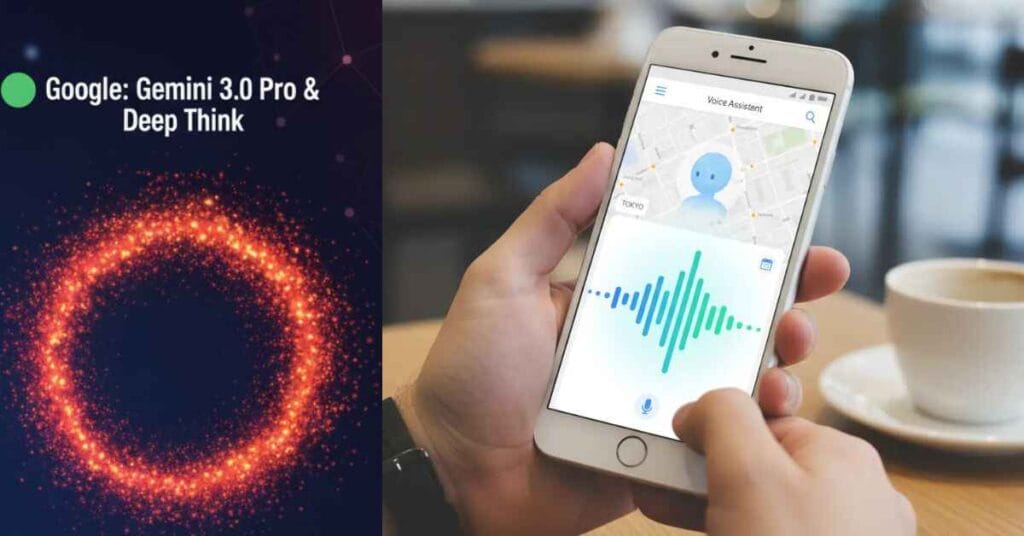
Planning trips usually means juggling multiple tabs. Gemini Live simplifies this through conversation.
Example prompt:
I’m visiting Austin this weekend. I like tacos, live music, and quiet areas. Build a Saturday plan.
With user permission and available integrations, Gemini can:
- Suggest locations
- Adjust plans mid conversation
- Reference timing constraints you mention verbally
Use Case 3: Home Repair Guidance Using Camera Input

Gemini can assist with basic troubleshooting when you show, not describe, the problem.
Example:
Record a short video of a leaking dishwasher and include the model number.
Gemini can:
- Identify the likely issue
- Reference manufacturer documentation
- Suggest next steps or common replacement parts
(Final repairs and purchases remain user-controlled.)
Transforming Education and Research
Use Case 4: Personalized AI Tutoring
Gemini adapts explanations to how you learn.
Example:
Explain quantum entanglement using a sports analogy. Then quiz me.
Gemini can:
- Reframe concepts using analogies
- Generate quizzes
- Explain why an answer is wrong, not just what’s right
Use Case 5: Accelerating Deep Research
With large context handling, Gemini 3 Pro supports advanced document analysis.
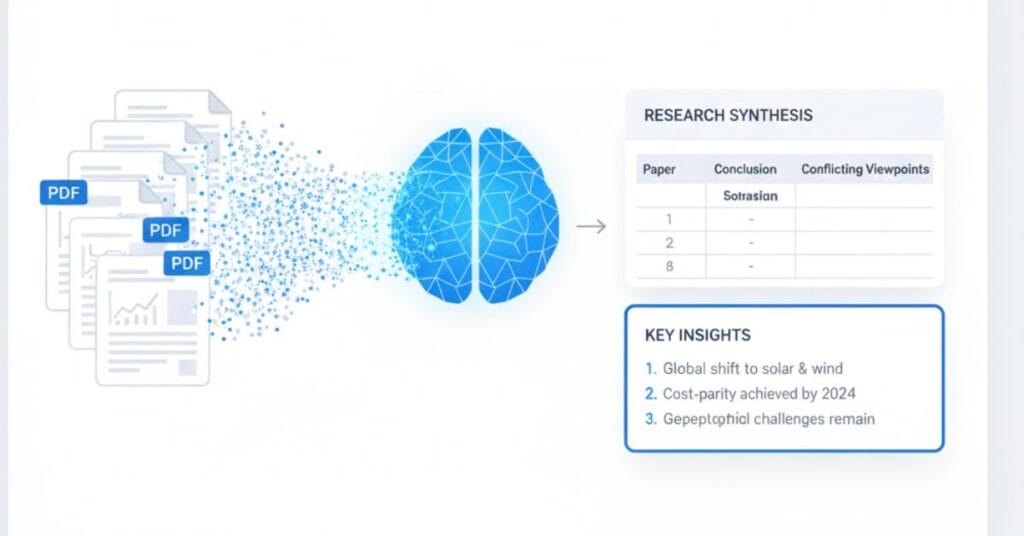
Example:
Upload multiple PDFs and ask:
Summarize the main disagreements across these reports and present them in a table.
This is especially useful for:
- Academic research
- Market analysis
- Policy or financial reviews
Boosting Business Productivity with Google Workspace

Use Case 6: Email Thread Summarization in Gmail
Instead of reading long threads, Gemini highlights:
- Key decisions
- Action items
- Deadlines
Gemini’s integration with Docs, Gmail, and Sheets is part of Google’s broader Workspace AI rollout, which embeds AI assistance directly into productivity tools.
You can then prompt:
Draft a reply acknowledging the deadline and requesting the latest budget file.
Use Case 7: Smart Document Drafting in Docs
Gemini assists with:
- First drafts
- Executive summaries
- Tone adjustments based on audience
It works best as a collaborative editor, not a replacement for human review.
Use Case 8: Data Analysis in Google Sheets
You can use natural language instead of formulas.
Example:
Show which region had the highest growth relative to cost.
Gemini can:
- Analyze the dataset
- Generate visuals
- Explain the result in plain English
Use Case 9: Custom AI Gems for Repetitive Tasks
AI Gems allow you to save instructions for repeat use.
Examples:
- Brand voice social media drafts
- Weekly performance summaries
- FAQ response templates
This reduces repetitive prompting and improves consistency.
Everyday Productivity Beyond Work
Use Case 10: Learning New Skills Faster
From coding basics to language learning, Gemini supports:
- Step by step explanations
- Practice exercises
- Immediate feedback
Use Case 11: Planning and Brainstorming on the Go
Using Gemini Live, users brainstorm ideas while walking, commuting, or exercising without typing or rigid prompts.
Use Case 12: Personal Knowledge Management
Gemini helps summarize notes, extract insights from saved documents, and turn scattered information into actionable plans.
Gemini vs ChatGPT for Daily Tasks (2025)
| Feature | Google Gemini (Gemini 3 Pro) | ChatGPT (Latest OpenAI Models) |
| Ecosystem | Native Google Workspace | Cross-platform |
| Multimodal Input | Text, image, voice | Text, image, voice |
| Research Strength | Strong document synthesis | Strong reasoning & writing |
| Best For | Google ecosystem users | Creative & general AI use |
For a deeper, feature by feature breakdown, see our full [ChatGPT vs Google Gemini comparison], including pricing, strengths, and real world use cases.
Gemini Daily Use Cases Are Becoming Agentic
Google Gemini is no longer just helping users search it’s acting on their behalf. With the rise of agentic commerce, Gemini moves from answering questions to completing tasks.
A simple daily example:
- User: Restock my weekly groceries under $150.
- Gemini:
- Understands preferences
- Checks Walmart inventory
- Selects products
- Adds them to cart
- Schedules delivery
No search queries. No product pages. No checkout flow.
This is the shift from search based interaction to intent based execution. Gemini doesn’t show options it delivers outcomes.
As partnerships like Google + Walmart expand, everyday use cases such as shopping, travel booking, and scheduling will bypass the search bar entirely. Gemini becomes a digital agent, not a chatbot and that fundamentally changes how people use the web.
Conclusion

The era of simple AI chatbots is fading. With Gemini 3 Pro, Google Gemini has become a practical daily assistant one that helps users research faster, plan smarter, and reduce digital busywork.
From voice based planning with Gemini Live to document analysis and workflow support inside Google Workspace, Gemini’s value lies in how naturally it fits into everyday life. The people who benefit most in 2025 won’t be those who work harder but those who delegate smarter.
While Gemini performs well across everyday productivity tasks, some users may want to understand how it compares to other leading AI models our detailed Gemini vs Claude comparison breaks down strengths, limitations, and ideal use cases.
These use cases show the power of integration, yet other AIs offer unique advantages Gemini might lack. Check out our latest breakdown of the [Best AI Chatbots of 2026] to expand your AI toolkit.
FAQ
How do people use Google Gemini in daily life for free?
Many users start with the free Gemini app for summaries, writing help, and basic multimodal tasks. Advanced features may depend on plan and region.
Is Gemini 3 Pro better than earlier versions?
Gemini 3 Pro improves reasoning, context handling, and multimodal understanding, making it more effective for complex tasks.
Is Gemini better than ChatGPT for productivity?
For users deeply embedded in Google Docs, Gmail, and Sheets, Gemini often feels more seamless.
How does Gemini Live work?
Gemini Live supports natural, interruptible voice conversations for planning and brainstorming.
Can Gemini automate my business tasks?
Gemini assists with workflows but remains user guided. It does not operate autonomously without prompts.

𝑻𝒉𝒆 𝑷𝒖𝒍𝒔𝒆 𝒐𝒇 𝑮𝒍𝒐𝒃𝒂𝒍 𝑨𝒇𝒇𝒂𝒊𝒓𝒔

3 thoughts on “How to Use Google Gemini in Daily Life: 12 Practical Use Cases”